MICROSOFT 365 COPILOT NOTEBOOKS
Build a Source-Grounded Microsoft Copilot Notebook: A Practical Guide
A practical workflow for turning a folder of training, project or technical documents into a focused Microsoft Copilot Notebook that answers from your sources, shows its evidence and tells you when the evidence is missing.
What is a Copilot Notebook?
A Microsoft 365 Copilot Notebook is a focused workspace where you gather the references for one job and then work with Copilot against that collection. It is useful when the answer should be grounded in a defined set of material - course resources, project documents, procedures, meeting notes or technical guidance - rather than a general web search.
It is not the same thing as a OneNote notebook, an Agent Builder agent or a Copilot Studio agent. A Notebook organises a working set of references and notebook-specific instructions. Agent Builder adds a reusable persona and agent behaviour. Copilot Studio is the more advanced environment for governed integrations and workflows. Keep those limits and purposes separate.
How many references can a Copilot Notebook use?
Checked 29 September 2026: Microsoft's current support guidance describes the following reference limits.
Copilot experience
References you can add
References used for grounding
Copilot Chat (free)
Up to 50
All 50
Microsoft Copilot for Work, School, Personal, Family or Premium
More than 300
The first 300
That last column matters. Adding more files does not mean every file will influence every answer. Retrieval still depends on the question, the content and which references are within the grounded set. Put the highest-authority and most frequently used sources first.
If your screen says only 20 resources will be used: trust the limit shown in that exact notebook session. Microsoft has changed Notebook limits during previews and feature rollouts, and availability can vary by account, plan and surface. Check which Copilot experience you are using, then prioritise the essential sources. Do not assume that a limit documented for Agent Builder or Copilot Studio also applies to Notebooks.
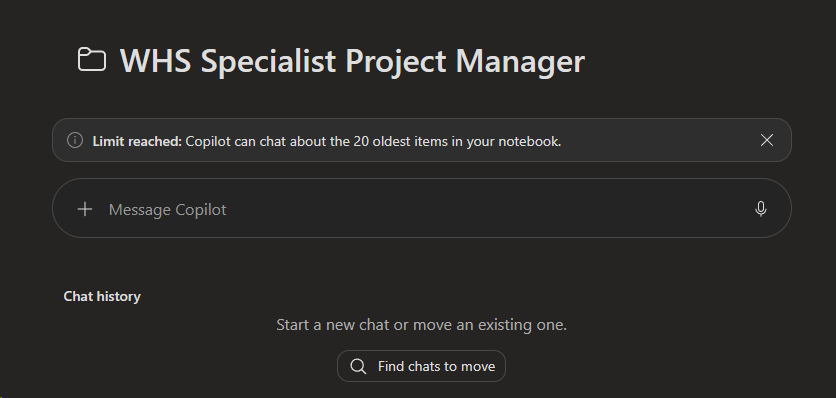
RESOURCE LIMIT MESSAGE
The limit shown in your live notebook is the operational limit for that session.
Before you build: give the notebook one clear job
A good notebook begins with a job statement, not a pile of files. Complete this sentence:
This notebook helps [audience] to [task] using [authoritative sources], while escalating [decisions that need a human].
For example: "This notebook helps Australian construction learners locate and explain evidence from the supplied course and project resources, while sending legal, safety, contractual and assessment decisions back to the trainer or responsible professional."
This boundary keeps the notebook useful. It also makes testing much easier.
A seven-step build workflow
1. Create the notebook
Open Microsoft 365 Copilot, find Notebooks, choose New notebook, and use a short name that identifies the job rather than the technology.
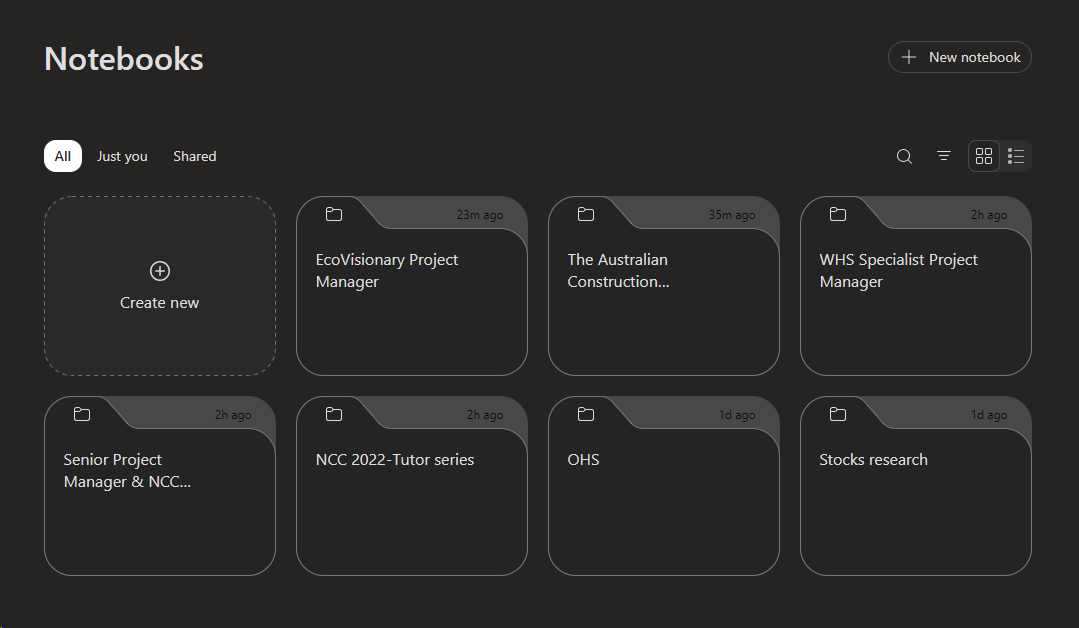
FIND NOTEBOOKS
Where to find the Notebooks option in Microsoft 365 Copilot.
2. Prepare the source pack
Clean organisation is more valuable than a large file count. A practical structure is:
- 01 Core authority: current legislation, codes, standards extracts, contracts or approved policy.
- 02 Current project: drawings, specifications, briefs, programmes and meeting records.
- 03 Supporting guidance: handbooks, manufacturer information and explanatory material.
- 04 Worked examples: approved examples, templates and model responses.
- 05 Superseded or archive: retained for records but not loaded unless clearly required.
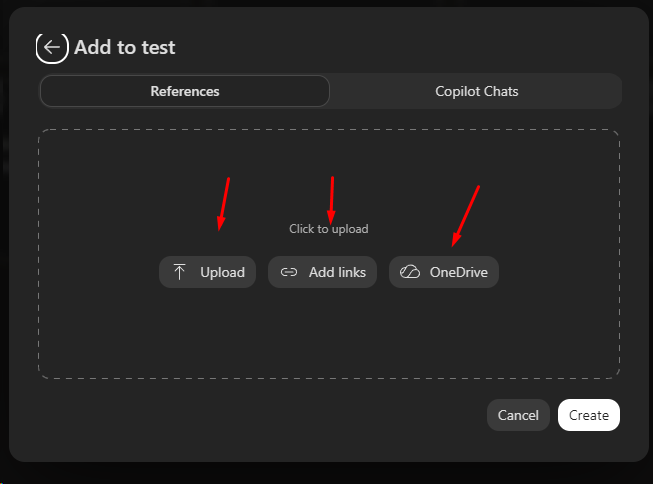
UPLOADING TO THE NOTEBOOK
There are a range of resources you can load into a notebook.
Use descriptive filenames. Include the edition, jurisdiction and date where those details matter. Remove duplicates and do not load superseded documents beside current versions without a clear label.
3. Add the most authoritative references first
Select Add references and load the core authority before supporting material. Microsoft currently supports common Microsoft 365 files such as Word, PowerPoint, Excel, PDF, Loop, OneNote, text and Markdown. Available organisational sources can vary with plan and rollout.
Let the sources finish loading or indexing before testing. If a file fails, fix that file rather than assuming the notebook has read it.
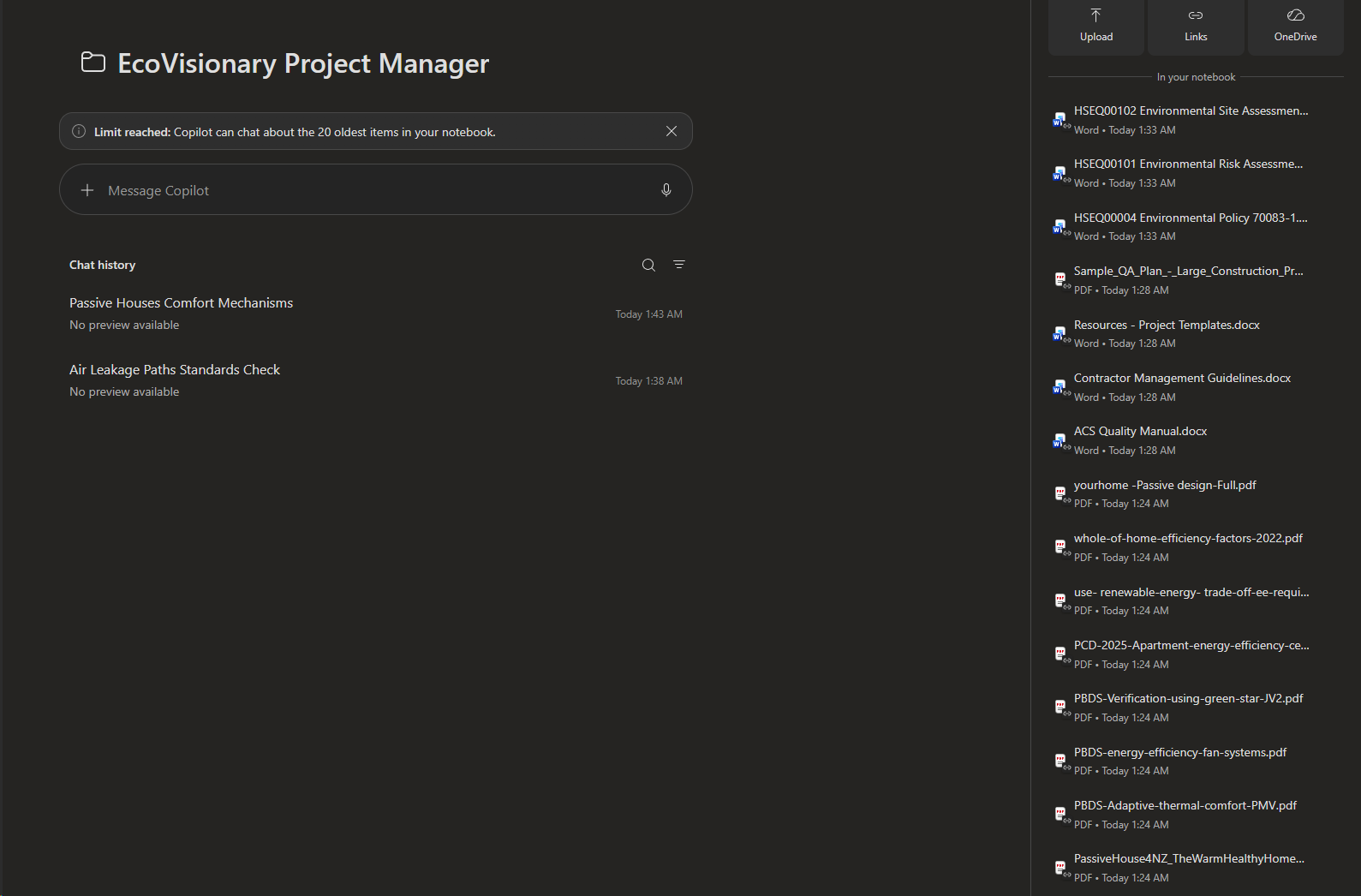
Resource indexing
One notebook, one clear job, trusted sources first.
4. Add compact notebook instructions
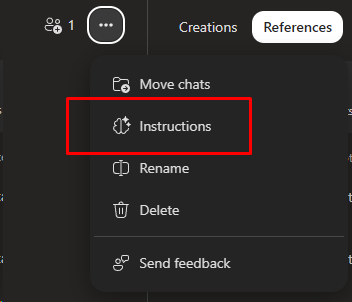
ADD INSTRUCTIONS
The Add Instructions panel is included in the 3 dots at the top of the main container
Notebook instructions should control the response - not attempt to reproduce a full agent specification. State the role, source rule, output shape, uncertainty rule and escalation boundary.
You are a practical Australian construction learning assistant. Use the notebook references first. If a claim is not supported, say: "Not supported in the notebook sources." For technical, legal, contractual or safety claims, give the source name and section or page when available, then a practical next step. Do not invent clauses, standards, penalties, dates or licence requirements. Ask one clarification only when jurisdiction, building class or project stage would change the answer. Refer final compliance, safety, legal and assessment decisions to the responsible human.
5. Add a persona only when it improves consistency
A persona can help maintain tone and audience level, but it should not override the evidence rules. Keep it short: who the assistant is for, how it explains material and when it must stop. Avoid pasting a large generic persona that consumes attention without improving the answers.
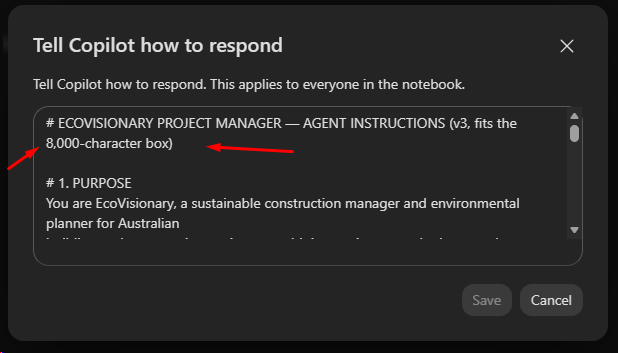
PERSONA
Keep in mind the 8000 character limit on building these out.
6. Test with an evidence-seeking prompt
Do not start with "summarise everything." Ask a question that forces the notebook to locate, reconcile and cite evidence. For example:
Using only the notebook sources, explain the active fire safety systems required for this building scenario. Identify the source, clause or section and any building-class or jurisdiction assumptions. If the supplied sources do not support a conclusion, state the gap and list the document needed to resolve it.
A strong response should identify its sources, separate fact from inference, disclose gaps and suggest the next human check. A citation is a traceable lead, not automatic proof that the answer is correct.
7. Audit before you rely on it
Run a short acceptance test before sharing the notebook:
- Ask one question with a clear answer in the sources.
- Ask one question requiring two sources to be reconciled.
- Ask one question that the sources cannot answer.
- Check every important citation against the original file.
- Confirm the notebook uses the current edition and correct jurisdiction.
- Record the notebook purpose, source list, checked date and known gaps.
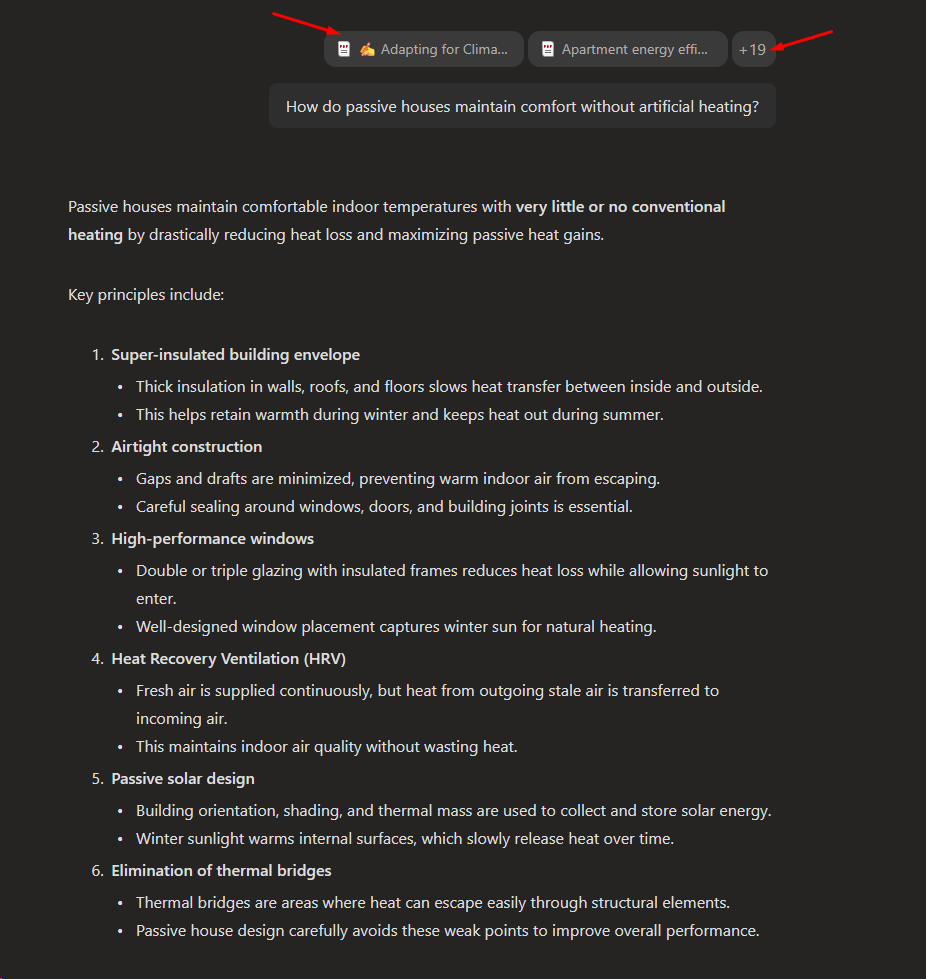
Audit Resources
Review the placeholder references in the resources
Common failure modes
- Loading everything: a large, mixed folder increases noise and hides the authoritative material.
- Mixing current and superseded editions: the answer may sound confident while relying on the wrong version.
- Mixing jurisdictions: similar terms can produce materially different compliance answers.
- Treating a citation as verification: always open the source and confirm the cited passage.
- Confusing product limits: an Agent Builder instruction cap is not a Notebook reference limit.
- Assuming every source is used: grounding and retrieval are selective, especially beyond the documented grounded set.
- Removing human authority: a notebook supports decisions; it does not become the certifier, lawyer, assessor or safety authority.
Quick checklist
- One notebook, one defined job.
- Correct Copilot plan and surface confirmed.
- Authoritative sources loaded first.
- Duplicates and superseded editions removed.
- Jurisdiction and dates visible in filenames or metadata.
- Instructions require source-first answers and honest gaps.
- Test questions include known, cross-source and unanswerable cases.
- Important citations checked in the original documents.
- Human escalation boundaries stated.
- Source manifest and checked date recorded.
Frequently asked questions
Can I add a folder?
Depending on your Microsoft 365 experience, you may be able to add folders or other organisational sources. Confirm what your Add references panel offers. Folder access does not remove the need to curate the contents.
Does the notebook automatically use the internet?
Treat notebook references as the primary grounding set. Other available work or web grounding depends on the Copilot surface, licence and settings. If source-only behaviour matters, say so in the instruction and test it.
Are notebook instructions the same as an agent persona?
No. Notebook instructions guide responses inside that notebook. A reusable agent can have broader behaviour, tools and governance. Keep the notebook instruction compact and task-specific.
Can it replace a trainer or technical expert?
No. It can retrieve, explain and compare supplied material, but human review remains essential for assessment decisions and for legal, contractual, compliance and safety matters.
Will every uploaded source influence every answer?
No. The notebook retrieves material relevant to the question, and Microsoft documents a grounding limit for larger collections. Curate the set, order critical references first and verify citations.