
Pascal Now Talks to Blender: From a Browser House Design to a Cycles Render
Published 26 September 2026
Design a house in your browser, press one button, and see it land in your open Blender scene with levels, zones, doors and a lighting rig already set up. Pascal, a free, open-source building editor, now has a Blender add-on, and a two-minute walkthrough shows the whole loop from design to render.
For builders, designers and trainers, this shortens the step between a floor plan and something a client can actually picture.
What it does
The workflow in the video is short:
- Design the house in Pascal, in the browser at editor.pascal.app.
- Choose Send to Blender.
- The model arrives in your open Blender scene, with levels, zones and doors, plus a lighting rig, a framed camera, a sky and a sun.
- Switch the viewport to rendered shading, set Blender to Cycles, and render.
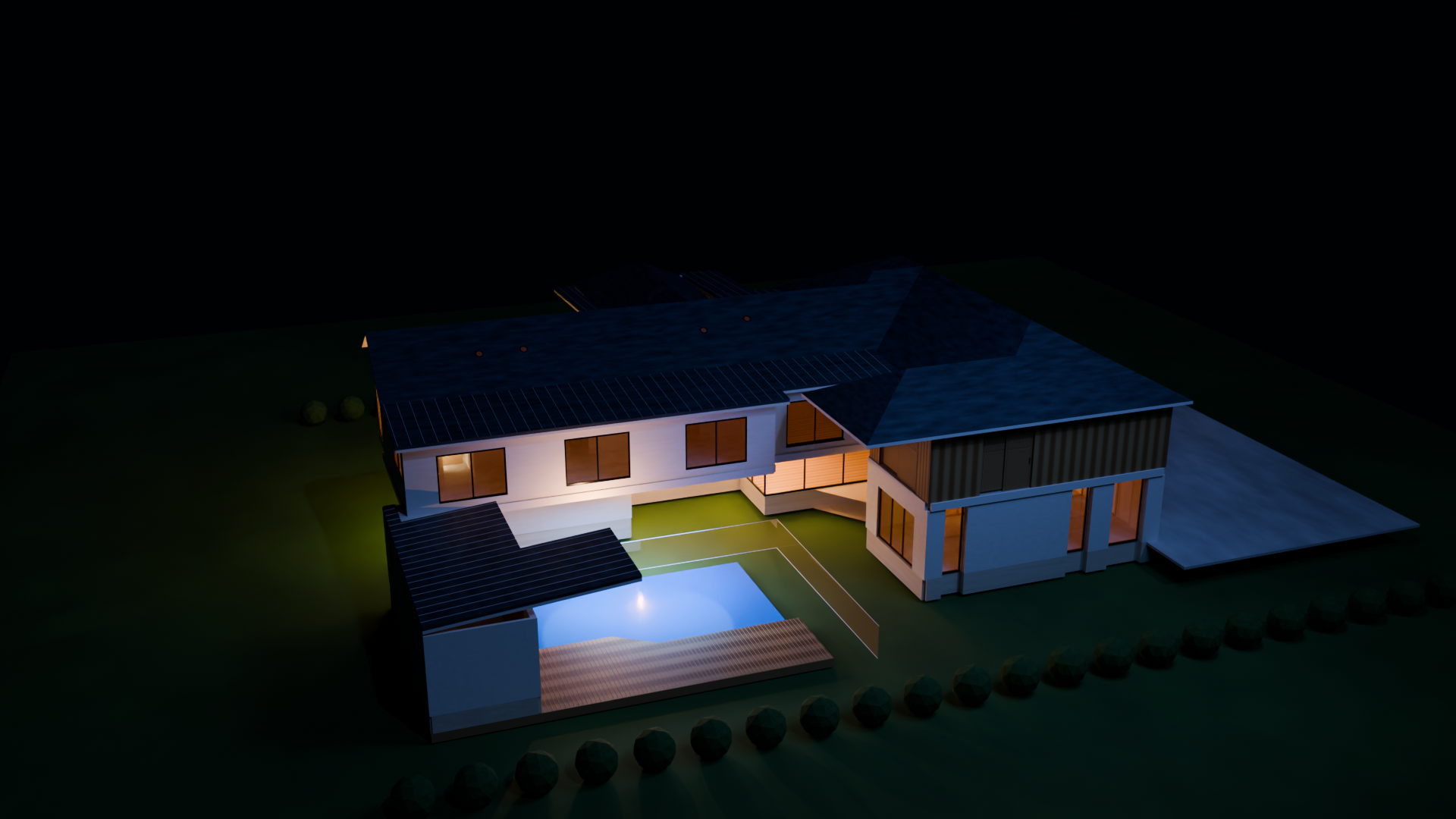
Rendered in Eevee (fast, real-time)
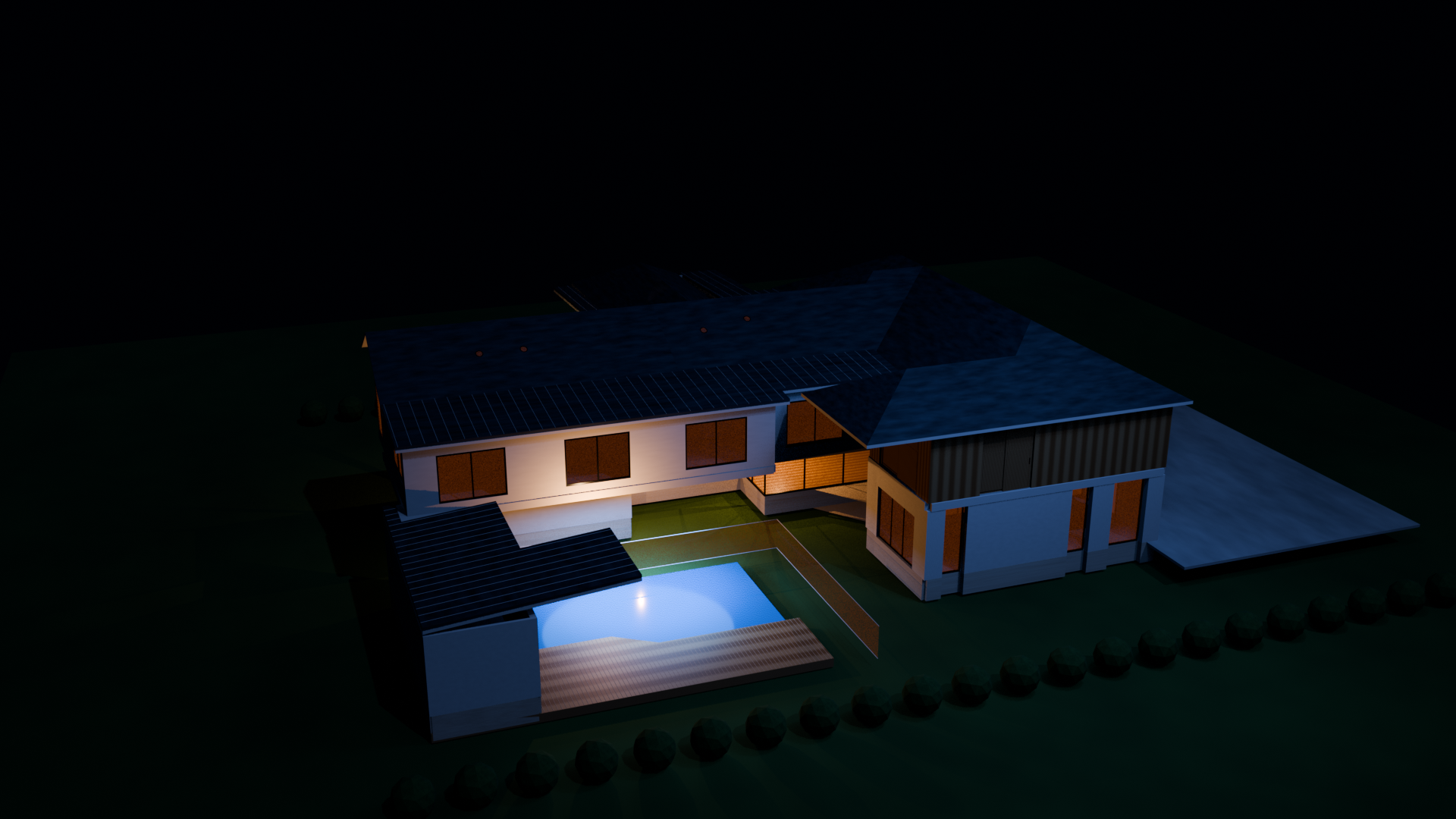
Rendered in Cycles (slower, more realistic light)
Watch the two-minute walkthrough
The video below is from Pascal, and walks through sending a house from the editor into an open Blender scene and rendering a night interior.
The settings shown in the video
These are the settings the presenter calls out. Treat them as a starting point, and adjust for your own hardware.
In the Pascal add-on (N-panel)
- Polish materials on import: on
- Set up lighting on import: on
- Lighting preset: starts as Daylight, then switched to Night, which adds a warm light in every room and a porch light
- Connection: the add-on listens on 127.0.0.1:27412, which is your own computer
Render settings in Blender
- Engine: Cycles, with the device set to GPU Compute
- Denoise: on, with Use GPU enabled
- Noise threshold: 0.1 for the viewport, 0.01 for final render
- Max samples: 1024 for the viewport, 4096 for final render
- Denoiser: Automatic, with Albedo passes, Fast prefilter, Balanced quality and start sample 1
Materials are polished into Principled glass where relevant, which is what gives windows their realistic look in the night render.
Where it fits in a construction or training workflow
A quick, low-cost way to visualise a concept is useful well beyond design studios:
- Client conversations: show a layout in daylight and at night before drawings are finalised.
- Teaching: give students a 3D model of a simple house to look at plan, levels and openings together.
- Learning material: produce clean renders for guides and modules without a full modelling workflow.
A few cautions
This is a visualisation workflow. A render is not a design that meets any code, and the model is not a set of construction documents. Check any dimensions, levels and requirements against your own drawings and the requirements that apply to your project. The add-on and its settings are the presenter’s, so confirm current options in Pascal and Blender before you rely on them. Keep private or client models in mind too, since the editor runs in a browser.
Keep reading
More on AI, construction, education and project management.
Use AI as a guide, not the final word
Tools like these can speed up your work, but they can be wrong or out of date. Always review the outputs yourself. Make sure any codes, standards or regulations involved are current and match your local specifications before you rely on them.